 The Fastest Mouse Clicker, OP AutoClicker Record Play, et al. | Official Site
Official Site of The Fastest Mouse Clicker for Windows, The Fastest Mouse Clicker for Linux, OP AutoClicker Record Play for Windows, 2048 Game Professional AutoClicker Mod, other full-featured applications without Ads, cookies, tracking, spying, and collateral personal data leaks.
Download the latest version : 3.0.1.0
( mirror ) - read ChangeLog
Featured project: 183 , 34 , 71266807
Site map
- windows2048.com | Home
- The Fastest Mouse Clicker for Linux
- The Fastest Mouse Clicker for Windows
- Fast Mouse Clicker vs. Speed AutoClicker vs. Terminator vs. others
- OP AutoClicker Record Play for Windows (AutoClicker2)
- 2048 Game Professional AutoClicker Mod
- Bézier Curve: AI-Powered Human-Like Mouse Movement
- Best Auto Clicker Settings for Popular Games
- Click Speed Test
- Mouse Polling Rate
- Multiple Display Setups
- Auto Clicker Setup for Seniors with Arthritis
- The Fastest Mouse Clicker for Windows | Disambiguation
- The Fastest Mouse Clicker for Windows | Features
- The Fastest Mouse Clicker for Windows | Help How To Use
- The Fastest Mouse Clicker for Windows | Screenshots
- The Fastest Mouse Clicker for Windows | Source Code
- The Fastest Mouse Clicker for Windows | Technology
- windows2048.com | Terms of Service
- windows2048.com | Updater Component
- windows2048.com | About
Fast Mouse Clicker vs. Speed AutoClicker vs. Terminator vs. others
The Fastest Mouse Clicker for Windows PC Desktop x86-64 in 2026: fare comparison vs. other auto-clicker apps on the market: maturity, features, safety, live
Updated : Apr 01 2026.
What about other auto-clickers and their features? Here is the table that summarizes all the key features of 3-5 most downloaded programs.
Fast Mouse Clicker vs. Sourceforge Auto Clicker vs. The Fastest Mouse Clicker for Windows
Fast Mouse Clicker was quite a mature app, but it is a completely abandoned project since 2016. The app simulated left, middle or right mouse clicks. It could automatically stop at a certain number of clicks.
Sourceforge Auto Clicker is still mature and alive. Sourceforge Auto Clicker is an app with two modes of auto-clicking, at your dynamic cursor location or at a pre-specified location. The maximum amounts of clicked can also be set (or left as infinite). Hotkeys work in the background for convenience.
Interesting fact, Sourceforge Auto Clicker is a subset of OP Auto Clicker, as OP Auto Clicker is a collection of several different programs for various platforms, most of which are closed-source and should be considered with caution. So we provide an advanced, professional, modern fork of OP Auto Clicker called OP AutoClicker Record Play for Windows (AutoClicker2 Record Play).
| Feature | Fast Mouse Clicker | Sourceforge Auto Clicker | The Fastest Mouse Clicker for Windows |
|---|---|---|---|
| Open source project | No: since 2022 | No: since 2024 | Yes |
| Regular updates and bug fixes | No | No | Yes |
| Arbitrary trigger key for clicking | Yes | Yes | Yes |
| Mouse button as trigger key for clicking | Yes | No | Yes |
| Independent trigger keys in toggle mode | No | Yes | Yes |
| All the clicking parameters auto-save | No | Yes | Yes |
| Group clicking (record-play the sequences of clicks) | No | Yes | Yes |
| Command line support in batch files | No | No | Yes |
| Button to open a folder with all the batch files | No | No | Yes |
| Button to reset all the clicking parameters to default values | No | No | Yes |
| Random clicking in a specified rectangle | No | No | Yes |
Hardware-limited fastest clicking via arrayed SendInput() |
No | No | Yes |
| Side DLL/runtime independent (runs on bare Windows) | No: MSVCRT dependencies | No: .Net dependencies | Yes |
| Checkbox to keep the app window always Top | No | No | Yes |
Speed AutoClicker vs. Terminator vs. The Fastest Mouse Clicker for Windows
Speed AutoClicker is a relatively new app and it allows you to set an activation key to switch automatic clicking . There are two activation modes: “hold”: Speed AutoClicker will repeat clicking as long as the activation key is pressed “toggle”: First key press will activate automatic clicking until the activation key is pressed again, so independent trigger keys in toggle mode are not supported.
Terminator is a new attempt to write an auto-clicker. It provides the toggle mode effortlessly with keyboard or mouse buttons. It has aesthetic console UI and works discreetly in the background.
| Feature | Speed AutoClicker | Terminator | The Fastest Mouse Clicker for Windows |
|---|---|---|---|
| Open source project | No | No | Yes |
| Regular updates and bug fixes | Unknown | Yes | Yes |
| Arbitrary trigger key for clicking | Yes | Yes | Yes |
| Mouse button as trigger key for clicking | No | Yes | Yes |
| Independent trigger keys in toggle mode | No | Yes | Yes |
| All the clicking parameters auto-save | No | Unknown | Yes |
| Group clicking (record-play the sequences of clicks) | No | No | Yes |
| Command line support in batch files | No | No | Yes |
| Button to open a folder with all the batch files | No | No | Yes |
| Button to reset all the clicking parameters to default values | No | No | Yes |
| Random clicking in a specified rectangle | No | No | Yes |
Hardware-limited fastest clicking via arrayed SendInput() |
No | No | Yes |
| Side DLL/runtime independent (runs on bare Windows) | No: .Net dependencies | Yes | Yes |
| Checkbox to keep the app window always Top | No | No | Yes |
Safety
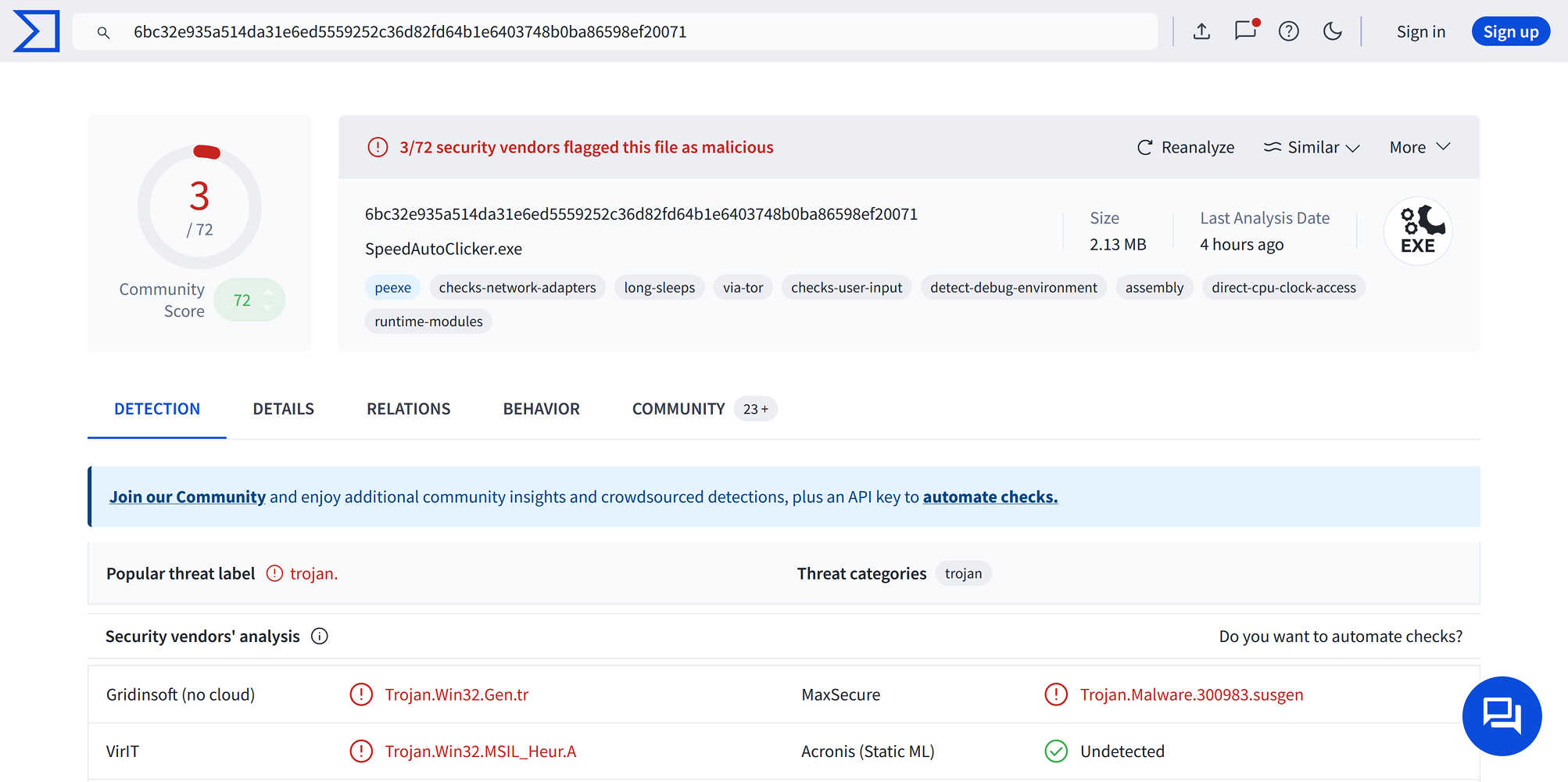
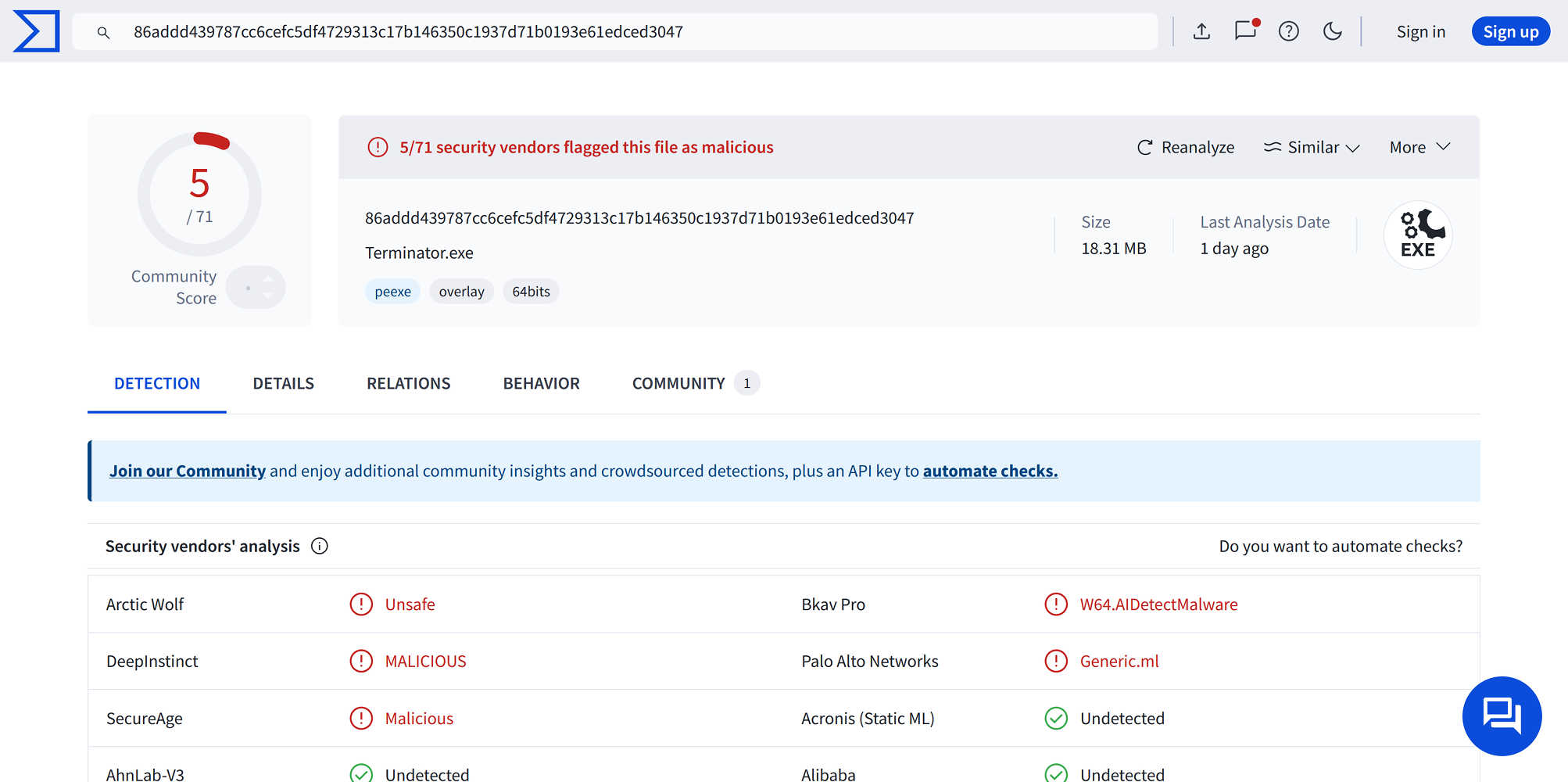
Most mouse auto-clickers are known to be malware. That is why one should avoid to install auto-clickers with closed source. Nowadays, there is a concerning trend that many auto-clickers do close their source code quietly: Speed AutoClicker and Terminator are typical examples. Below there is the table showing virustotal verdict for two popular auto-clickers vs. The Fastest Mouse Clicker for Windows.
VirusTotal Verdict
| Foreign/Alien Project: Speed AutoClicker | Foreign/Alien Project: Terminator | The Fastest Mouse Clicker for Windows |
|---|---|---|
| 3/72 malware score | 5/71 malware score | 0/61 malware score |
 |
 |
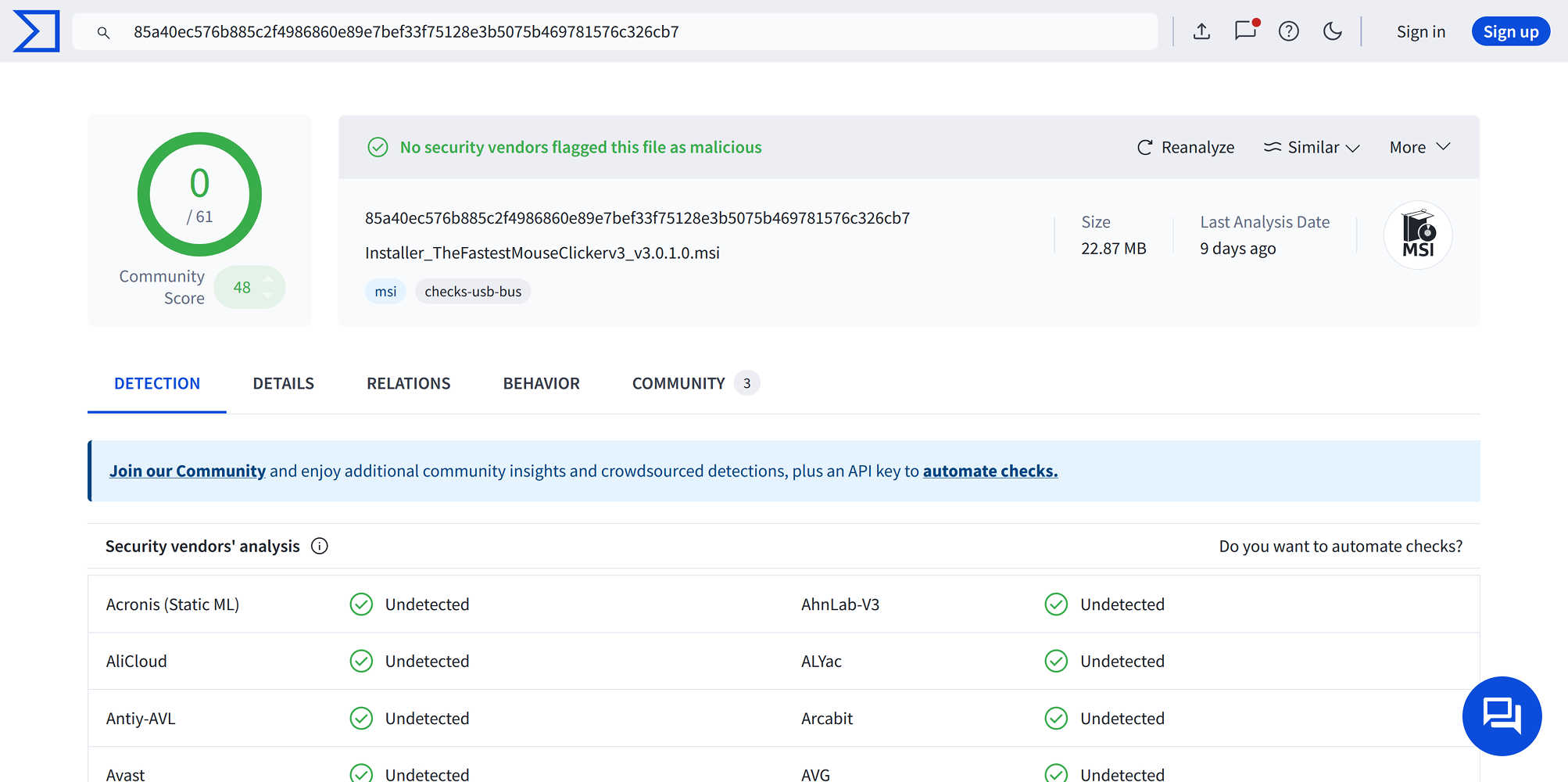 |
Note, only The Fastest Mouse Clicker for Windows does follow the 100% Windows standard guidelines on software installation, utilizing MSI Windows Installer XML Toolset (WiX).
Conclusion
Speed AutoClicker resembles Fast Mouse Clicker and implements the very basic clicking features only, but requires extra .Net dependency. Terminator resembles Sourceforge Auto Clicker but lacks group clicking meanwhile does not depend on .Net as Sourceforge Auto Clicker does.
Speed AutoClicker and Terminator are raising concerns about their safety as they have Virustotal malware score in range 3-5 from 71-72 different anti-viruses.
The Fastest Mouse Clicker for Windows does win this competition purely and takes the supremacy.
Comparison with sibling project
You may take a look on the sibling project, OP AutoClicker Record Play for Windows (AutoClicker2 Record Play) as well.
| Property | OP AutoClicker Record Play for Windows (AutoClicker2 Record Play) | The Fastest Mouse Clicker for Windows version 3 |
|---|---|---|
| Clicking Speed | Moderately Fast | Ultimately Fast |
| Group Clicking | Advanced Record Playback Logic with Import, Export via File | Simplified Base Logic Only |
| Cross-Platform | Only Windows with C#/.Net component | Bare Windows 7-11+, Any Linux Distro since 2022 |
| Complex Trigger Handling | Pressed Key Triggers Mouse Event | Any Event (Keyboard, Mouse) Triggers Any Event |
Both The Fastest Mouse Clicker for Windows and OP AutoClicker Record Play for Windows (AutoClicker2 Record Play) are professional apps specializing in slightly different tasks. Both are 100% clean and safe.