 Official Site:
The Fastest Mouse Clicker, OP AutoClicker Record Play (AutoClicker2) et al.
Official Site of The Fastest Mouse Clicker for Windows (cross-platform, classic), The Fastest Mouse Clicker for Linux (cross-platform), OP AutoClicker Record Play for Windows (AutoClicker2 Record Play), 2048 Game Professional AutoClicker Mod, other full-featured applications without Ads, cookies, tracking, spying, and collateral personal data leaks.
Download the latest version : 3.3.4.0
( mirror ) - read ChangeLog
Facebook Youtube Tumblr X/Twitter
admin@windows2048.com
Site map
- windows2048.com | Home
- The Fastest Mouse Clicker for Linux
- The Fastest Mouse Clicker for Windows
- The Fastest Mouse Clicker for Windows | Disambiguation
- The Fastest Mouse Clicker for Windows | Features
- The Fastest Mouse Clicker for Windows | Help How To Use
- The Fastest Mouse Clicker for Windows | Screenshots
- The Fastest Mouse Clicker for Windows | Source Code
- The Fastest Mouse Clicker for Windows | Technology
- Fast Mouse Clicker vs. Speed AutoClicker vs. Terminator vs. others
- OP AutoClicker Record Play for Windows (AutoClicker2)
- 2048 Game Professional AutoClicker Mod
- Bézier Curve: AI-Powered Human-Like Mouse Movement
- Best Auto Clicker Settings for Popular Games
- Click Speed Test
- Mouse Polling Rate
- Multiple Display Setups
- Auto Clicker Setup for Seniors with Arthritis
- Frequently Asked Questions (FAQ)
- windows2048.com | Terms of Service
- windows2048.com | Privacy Policy
- windows2048.com | Updater Component
- windows2048.com | About
The Fastest Mouse Clicker for Linux
The fastest auto-clicker for Linux desktop. Brand new cross-platform app written in C++ utilizing Qt, libuiohook, atomic variables; comparison vs. XClicker
Updated : May 27 2026.
Quick Start
The whole application has been written in C++ from scratch leveraging well known mature Qt framework for GUI rendering and high level user interaction, while special libuiohook library dedicated entirely to mouse click and key press events emulation is utilized to accurately handle all console I/O hardware behavior. Atomic variables are used to minimize the latency between CPU threads that do the actual work.
The program is distributed as an AppImage file and should run on virtually all Linux distros that are not older than Ubuntu 22.04 LTS. Particularly, at least GLIBC_2.32 and GLIBCXX_3.4.29 are required that means at least GCC version 11+ runtime to be installed on your system.
Important note on X11/Xorg vs Wayland
By design, it has been made nearly impossible to run ANY auto-clicker software under Wayland protocol and corresponding window manager on Linux, unless the whole Wayland compositor is running under root. This is a great, advanced measure against any keylogger rat in nowadays Linux versions.
But Wayland compositor comes as a default window manager starting at Ubuntu 22.04 LTS. So, how to use auto-clicker apps under Linux anyway? You should switch to the traditional X11/Xorg window protocol. On Ubuntu you just logout from your GUI session then find the “gear” Settings icon in the bottom right corner of your desktop, click it, and select “Ubuntu on Xorg”, then login again. On other Linux distros there should be their own ways to switch back to X11, read the manual, ask AI.
Once being logged in into the GUI session, check either:
echo $XDG_SESSION_TYPE
or:
loginctl show-session auto -p Type --value
it should show either wayland or x11.
Don’t forget chmod just after download the app:
chmod u+x ./TheFastestMouseClickerv3_v3.0.1.0.AppImage
If launched from a terminal, TheFastestMouseClickerv3_v3.0.1.0.AppImage will output many debug info to the stderr, that will slow-down the program, so consider to run it as:
./TheFastestMouseClickerv3_v3.0.1.0.AppImage > /dev/null 2>&1
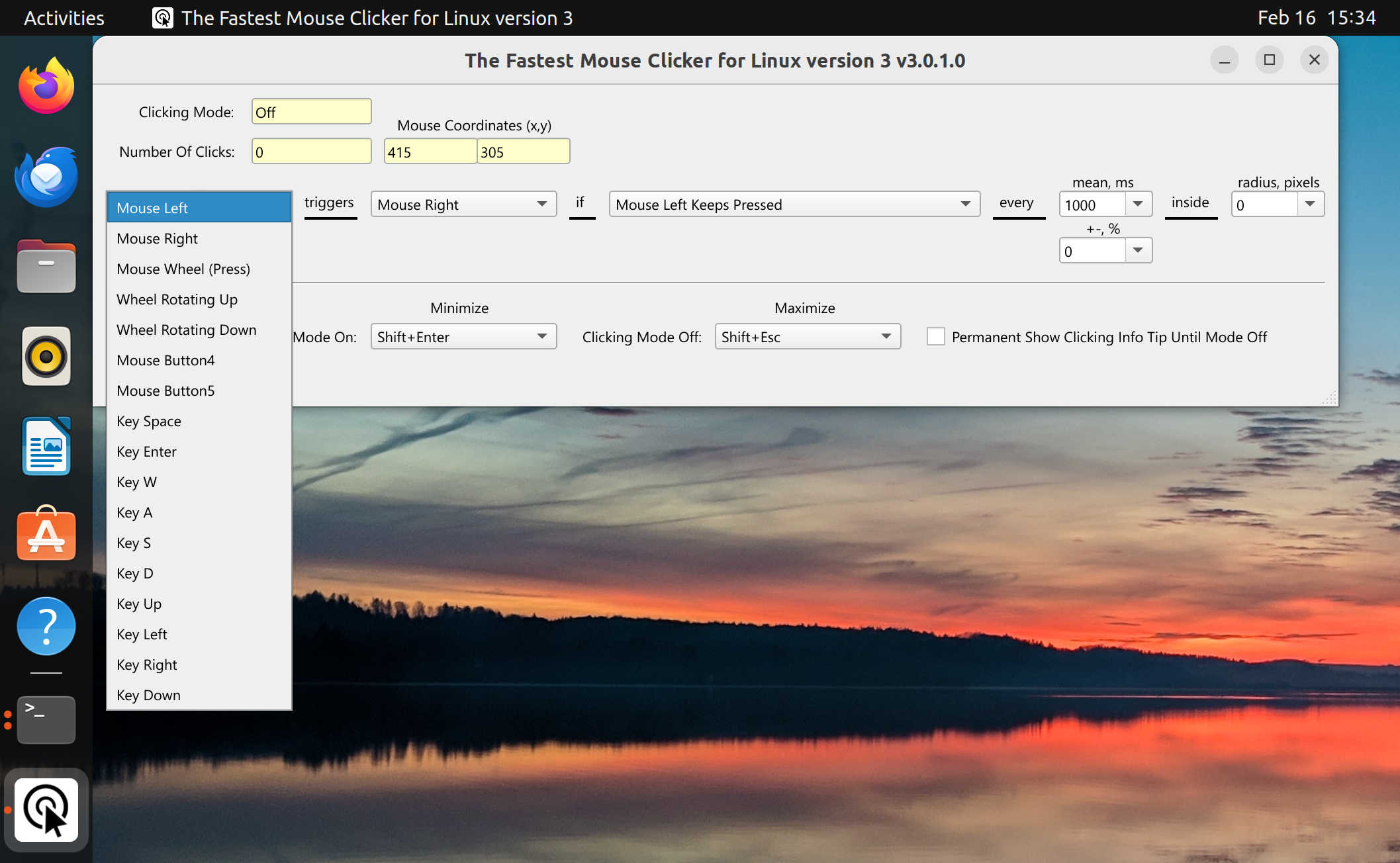
| Linux - Ubuntu on Xorg - Mouse Left |
|---|
 |
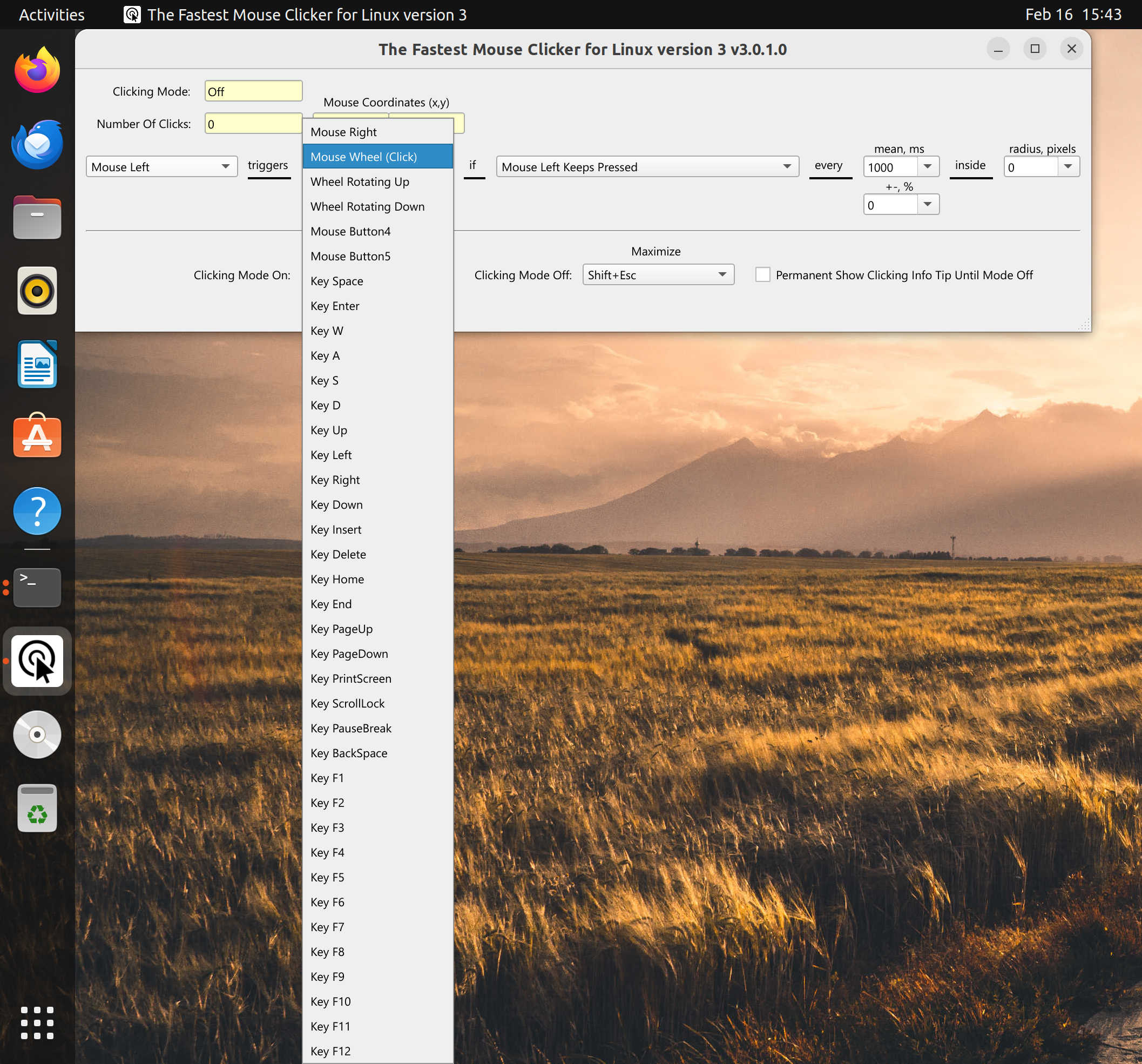
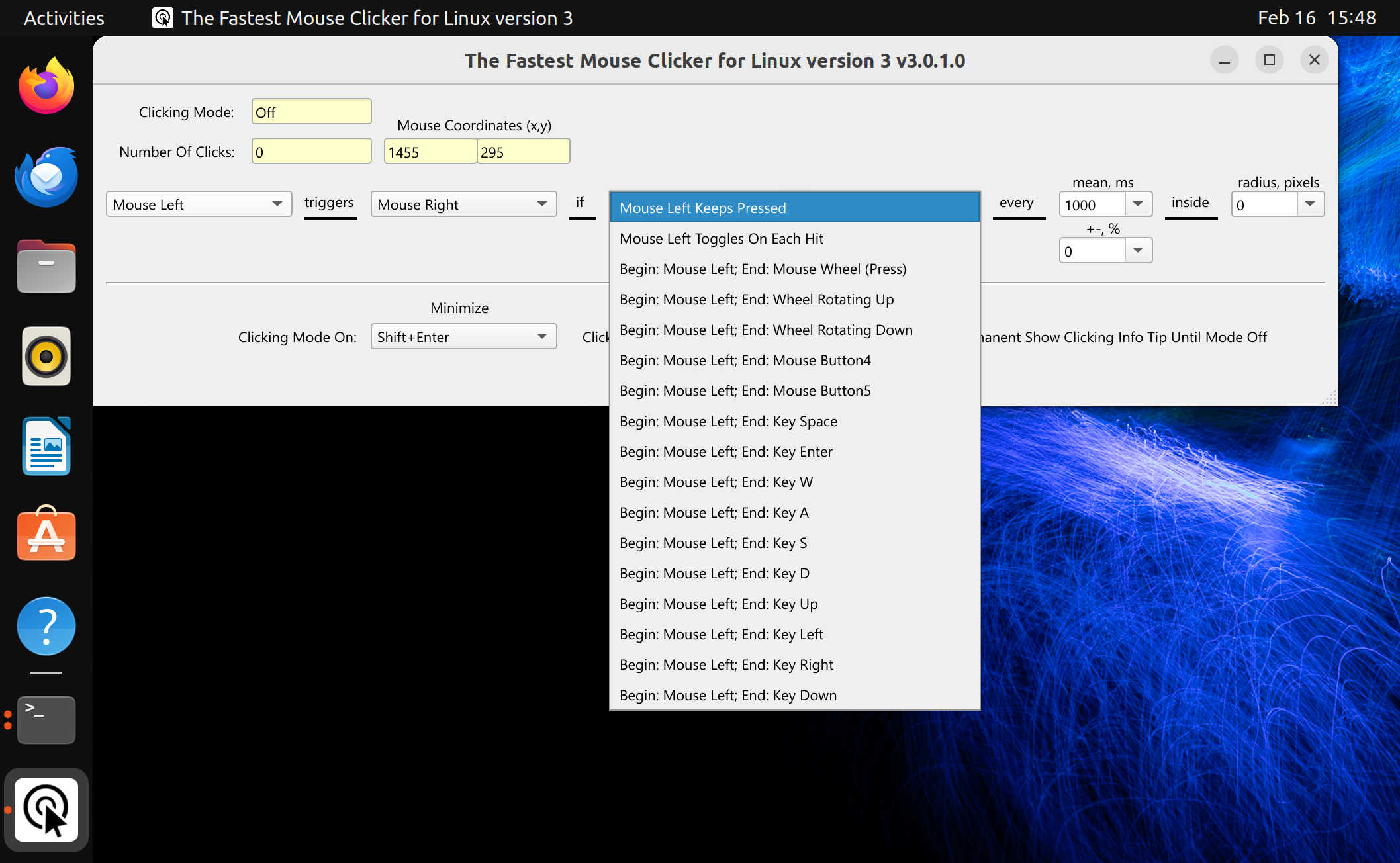
| Linux - Ubuntu on Xorg - Mouse Wheel (Click) | Linux - Ubuntu on Xorg - Mouse Left Keeps Pressed |
|---|---|
 |
 |
The Fastest Mouse Clicker for Linux cross-platform
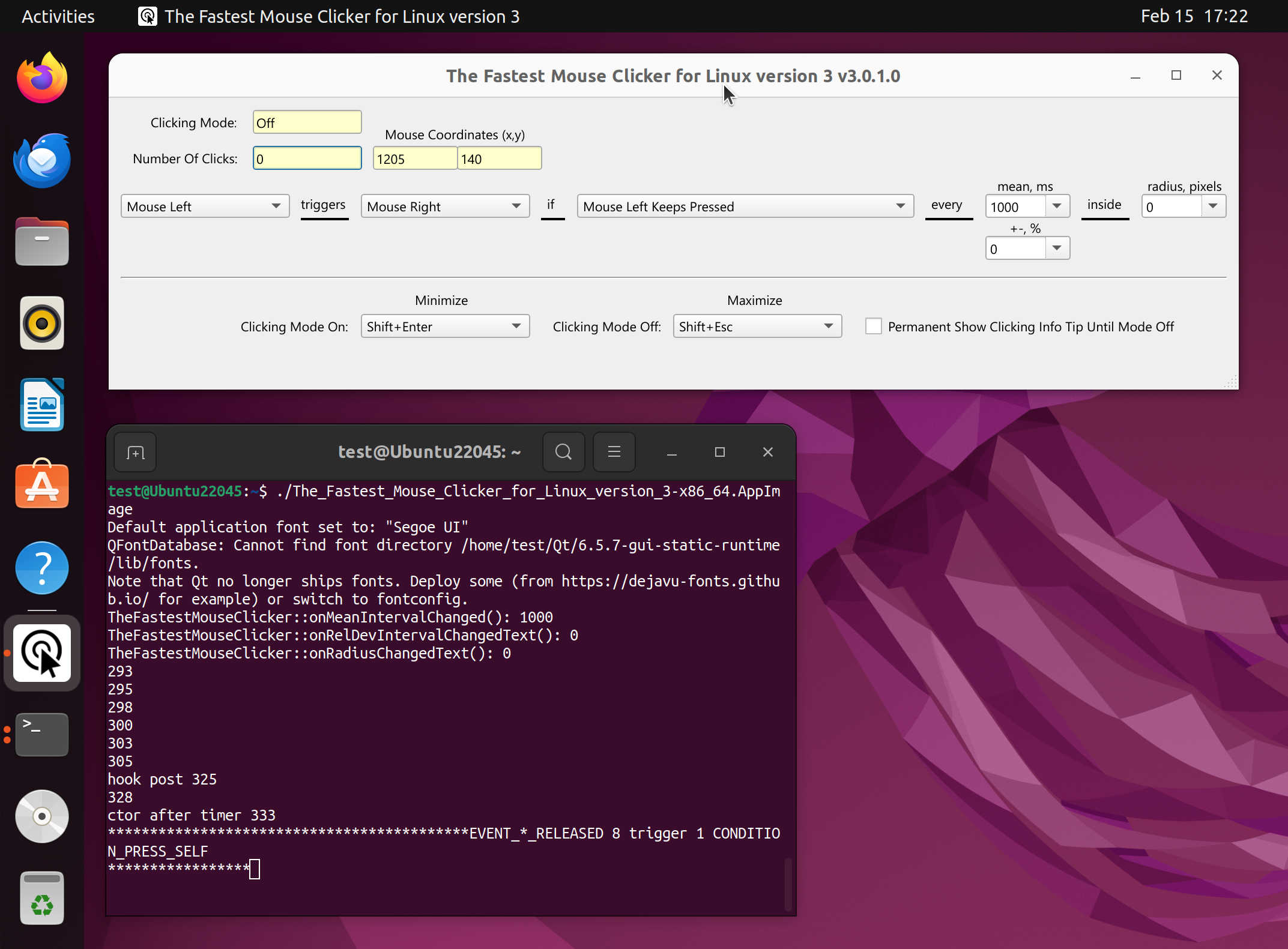
Ready.
Source Code
Apart of download the source code as a zip-file for a particular version, you can browse it at codeberg.org.
Take a look at The Fastest Mouse Clicker for Windows! It shares the same code-base with The Fastest Mouse Clicker for Linux being the one cross-platform program.
Technology overview; what is Linux-specific
The Fastest Mouse Clicker cross-platform edition (version 3 or higher) is a new generation auto-clicker for Windows, Linux, macOS, FreeBSD, OpenBSD. It is simply unlike any other auto-clicker you have ever tried - and the reason is buried deep in its engineering. Rather than slapping a GUI on a Python script or .NET framework like most competitors do, this app is a hand-crafted C++ application that talks directly to your operating system’s input hardware layer, using a patched cross-platform library called libuiohook. That means your clicks are injected at the same level as a real physical mouse, making them nearly impossible for games or applications like Minecraft, Roblox to detect or block.

The app separates its work across three specialized CPU threads - one for the interface, one for listening to your trigger key, and one dedicated to firing clicks as fast as the hardware allows - and uses lock-free atomic variables to keep them in sync with zero wasted time.
On Linux, the app ships as a self-contained AppImage - a single executable file that bundles all its Qt dependencies internally, so it runs on virtually any distribution released since Ubuntu 22.04 LTS without touching your package manager, no sudo apt install, no dependency conflicts, nothing. The one critical Linux-specific requirement is the display protocol: because Wayland (the default in modern Ubuntu and many other distros) architecturally blocks any application from injecting synthetic input events outside its own window - a deliberate security measure against keyloggers.
So you must switch your desktop session to X11/Xorg before running the app. On Ubuntu Linux, this is done by logging out, clicking the gear icon at the login screen in the right-bottom corner, selecting “Ubuntu on X.org”, and logging back in.
The Fastest Mouse Clicker cross-platform edition extends the same codebase to Windows, Linux, macOS, FreeBSD, and OpenBSD from a single unified source, with a beautiful native-feeling Qt interface that looks perfect on everything from a 1080p laptop to a 4K workstation.
Built-in “humanization” options let you randomize both the timing and the exact pixel position of every click, so your automation looks indistinguishable from real human input to any game’s anti-cheat system.
Whether you are a gamer who needs an edge in Roblox or Minecraft, a QA engineer automating UI testing, a researcher stress-testing web applications, or simply someone who needs to reduce repetitive strain on their hands, this tool delivers at a level of technical supremacy that is genuinely rare in free software.